
How to Play Vexle: Complete Rules, Modes & Shortcuts Guide
Learn how to play Vexle step by step. Master Daily Draw, six-try Build, Guess, Flagception, 6-player Party battles, Borders, canvas tools, and shortcuts.
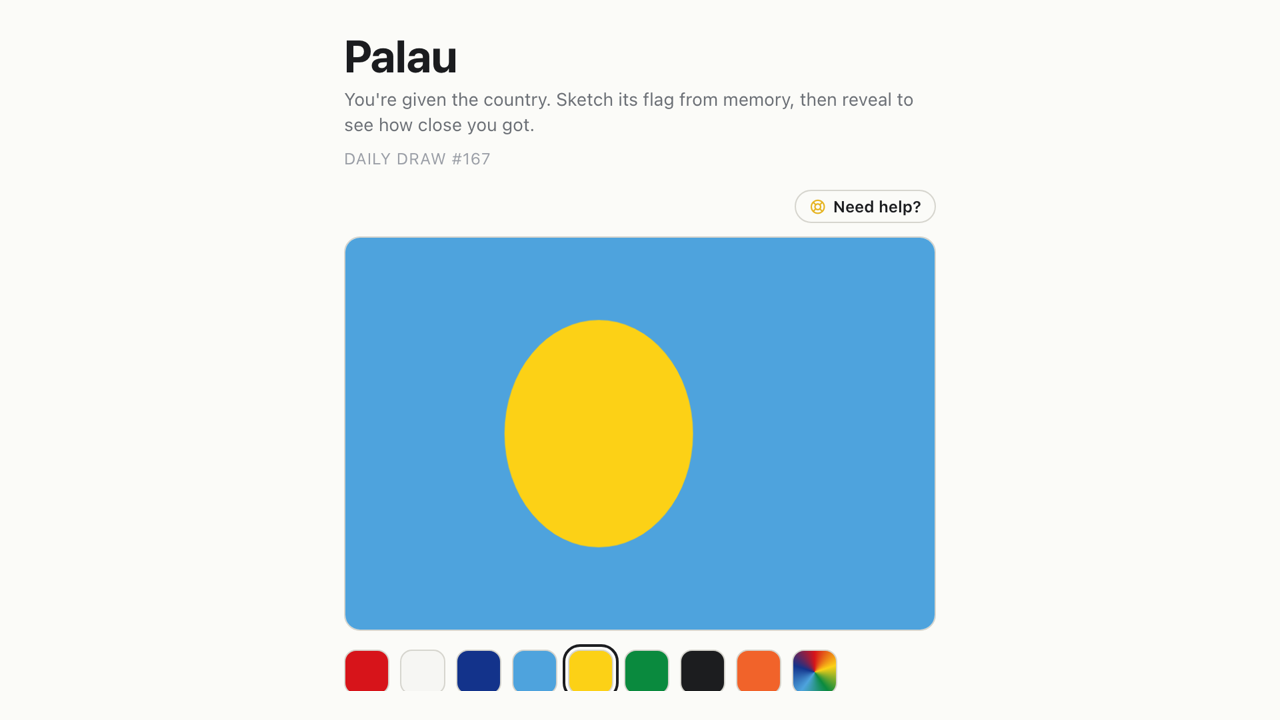
Whether you are opening Vexle for your first two-minute daily geography puzzle or jumping straight into multiplayer flag battles, understanding how each mode works will save you from the mistakes that cost new players 20% to 30% on simple banners. This complete how to play Vexle guide walks through every mode, canvas tool, keyboard shortcut, hint rule, and sharing option currently live in the browser game.
Before You Start: Setup & Saving Progress
Vexle runs free in any modern desktop or mobile browser—no app download or account is required to play today's Daily Draw, switch into unlimited Practice, or join a friend's lobby. However, knowing how saving works before your first streak matters:
- Anonymous play saves locally: Your daily streak, best percentage, and personal map progress are stored in your current browser's storage. Clearing cookies/site data, switching from phone to laptop, or opening a private window starts a fresh local profile.
- Optional account sync: Tap Account in the top bar of the game and sign in with Google or Apple to keep your streak, past drawings, and Vexle World Map synced across devices and eligible for ranked Routes leaderboards.
- Daily reset timing: A new global country unlocks every day at midnight US Eastern Time, and every player worldwide draws the same flag on the same calendar date.
How to Play Daily Draw (Step by Step)
Daily Draw is the core Vexle experience—one country name per day drawn entirely from every real national flag in the game's catalogue.
- Read today's country prompt: Look carefully at the country name at the top of the canvas. Double-check easy mix-ups (such as Côte d'Ivoire vs. Ireland, Monaco vs. Indonesia, or Mali vs. Guinea) before filling the background.
- Block in the main layout first: Choose one of the 8 preset swatches (Red, White, Blue, Sky blue, Yellow, Green, Black, Orange) or open the Custom shade rainbow picker for maroon, dark green, or gold tones. Start with the Fill bucket (
F) for the dominant background color, then lay down stripes, cantons, discs, or crosses with geometric shapes instead of painting everything freehand. - Use dotted guide hints if you blank out: Tap Need help? above the canvas to reveal up to three progressive hints. Each hint traces one layer of the flag as a dotted guide line on your canvas. Using hints still lets you finish the round, though hinted runs display a small asterisk (
*) next to your grade and appear on your share card. - Click Reveal & compare: Your finished sketch appears side by side next to the real national flag with a 0–100% match score, letter rank, daily percentile ("You drew better than X% of players today"), and instant follow-up buttons for Keep drawing in practice, Play Borders, Share result, Challenge a friend, and Share replay video.
For a full breakdown of how color snapping, letter ranks, and map thresholds work, read our dedicated Vexle scoring guide.
Every Vexle Game Mode Explained
Vexle has grown far beyond a single daily sketch. You can switch between modes right from the top navigation strip inside the game:
| Mode | Core Rule | Daily Limit | Best For |
|---|---|---|---|
| Draw (Daily) | Sketch today's named country flag from memory, then reveal & compare | 1 global flag/day (unlimited in Practice) | Building your daily streak and 247-country World Map |
| Build (Six-Try) | Pick a flag layout and paint numbered sections with Wordle-style color feedback across six tries | 1 daily puzzle | Logic deduction—solvable even if you do not recognize the flag yet |
| Guess | View 5 real drawings sketched by other players (plus the % score they earned) and name each country | 5-drawing daily set | Recognizing messy memory sketches and laughing at community misses |
| Flagception | Find smaller national flags hidden inside a single host flag by dragging selection boxes | 1 daily host flag | Visual pattern spotting and vexillology trivia |
| Party (Draw Battle) | Private room for up to 6 players drawing the same flag under a timer; highest score sets the bar and everyone else loses HP equal to the score gap | Unlimited private lobbies | Live group showdowns with friends |
| Borders & Routes | Capture neighboring nations across a world map in 3 daily journeys, three-life Solo Runs, multiplayer Routes convoys, or 4–16 player Conquest | 3 daily journeys + unlimited Solo/Multiplayer | Geography + flag speed combined — see the Vexle Borders guide |
| Practice & Packs | Unlimited random flag drawing with 3 daily bounties plus themed packs and limited-time sticker events | Unlimited | Drilling weak regions without risking your streak — see Vexle practice mode |
Canvas Tools & Desktop Keyboard Shortcuts
Mobile players can tap any color dot or tool icon and draw smoothly with a finger, and switching the easel into Fullscreen gives extra room on smaller phones. On desktop, learning six hotkeys cuts your drawing time in half—especially in timed Party battles and Hard Borders runs:
| Key | Tool / Action | When to Use It |
|---|---|---|
B |
Brush (size slider 2 to 60, default 16) |
Organic curves, crescents, shields, and quick diagonal accents |
F |
Flood Fill bucket | Instant solid backgrounds, horizontal/vertical bands, and closed shape interiors |
E |
Eraser | Cleaning overshot lines or carving white borders between stripes |
R / C / L / S |
Rectangle, Circle, Line, Star | Crisp tricolors, Nordic crosses, sun discs, borders, and sharp stars |
[ and ] |
Decrease / increase brush size | Fast switching between bold broad strokes and crisp fine lines |
Ctrl+Z / Ctrl+Y |
Undo / Redo (or Cmd+Z on Mac) |
Fixing a misaligned rectangle or stray bucket fill in one tap |
Five Beginner Mistakes That Cost Easy Points
- Painting the background by hand with a brush: Leaving faint white pixels around the edges drags your score down. Always hit
Ffirst to flood the canvas with the primary base color. - Swapping hoist (left) and fly (right) stripe order: Vertical tricolors like Ireland (Green–White–Orange) vs. Côte d'Ivoire (Orange–White–Green) or Chad/Romania (Blue–Yellow–Red) vs. Andorra/Moldova trip up beginners constantly. Anchor the hoist side near the flagpole first.
- Obsessing over tiny coats of arms: Vexle weights large color blocks and overall proportions heavily while giving minimal weight to intricate crests. Spend 90% of your effort getting stripe thickness, canton size, and color placement clean.
- Hunting for the exact official hex shade: The engine automatically snaps custom shades from the rainbow picker to the closest flag color during grading. Pick a clearly distinct shade (e.g., Sky blue vs. dark Blue for Argentina or Palau) rather than agonizing over tiny brightness shifts.
- Skipping Practice after a bad daily round: Whenever a country scores under 85%, tap Keep drawing in practice right on the result screen so you lock the visual layout into memory and start filling your Vexle World Map.
Sharing Results & Creating Friend Leagues
After finishing a Daily Draw, use Share result to copy your spoiler-free score summary, Share replay video to post a timelapse of your strokes, or Challenge a friend to send a direct duel link. Once you challenge friends, you can turn your rivalry into a persistent League (vexle.org/lg/CODE) where the Today board shows every league member's actual flag drawing beside their score once you submit yours.
Frequently Asked Questions
Do I need an account to play Vexle?
No. Vexle runs directly in desktop and mobile browsers at no cost, with no mandatory account or app download. Signing in with Google or Apple is completely optional and only needed to sync streaks, World Map countries, and ranked Routes VP across devices.
How is Daily Draw different from six-try Build mode?
In Daily Draw you receive a country name and sketch its flag freehand or with shapes in one attempt. In six-try Build mode, you select a flag layout and color numbered sections while receiving Wordle-style clues after each try until you deduce the exact flag.
What happens if I use hints in Vexle?
Tap Need help? above the canvas to reveal up to three dotted guide outlines one layer at a time. Using hints lets you complete tough flags cleanly, and your final grade simply carries a small asterisk showing a hint was used.
Ready to put these tips to the test in today's flag challenge?
Play Vexle Now